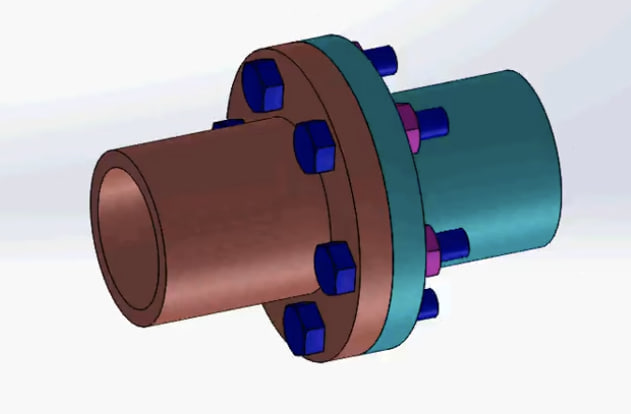
Solidworks flange coupling part design and assembly tutorial
This tutorial explains how to design and assemble a flange coupling using SolidWorks. It demonstrates the step-by-step process of creating individual parts such as the flange, shaft, key, and bolts using basic modeling tools like extrude, revolve, hole wizard, and circular pattern. After designing the parts, the tutorial shows how to combine them in the assembly environment using mates and constraints to correctly align the components. The tutorial helps beginners understand mechanical part modeling, parametric design, and assembly techniques in SolidWorks.

English
Last updated
Mon, 09-Mar-2026